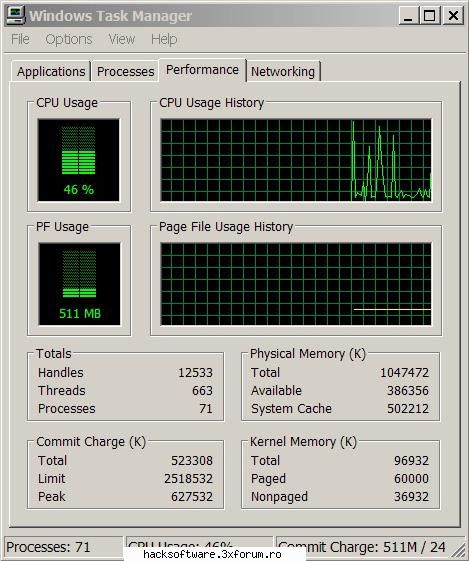
in acest tutorial voi prezenta niste tips & tricks despre a iti optimiza performantele pc-ului cu anumite setari din registri si din alte cai cat si utilizarea unor programe pentru o buna functionare a pc-ului.
Tutorial contine 2 parti care sunt luate din tutorialul cu accelasi nume postat de RaiNman.Restul este din cunostintele mele si din propriile puteri.
1. My Computer
Click dreapta pe my computer selectam properties.
Tab-ul Hardware mergem in sectiunea drivers alegem optiunea drivers signing si selectam optiunea Ignore - Install the software anyway and don�t ask for my approval.
Tab-ul Advanced selectam Performance, aici avem 4 posibilitati Let windows choose what�s best for my computer ( puteti selecta aceasta optiune iar windowsul alege ce efecte pot fi utilizate de computerul vostru dupa performantele si partea hardware existenta pe el.
Adjust for best appereance ( puteti selecta aceasta optiune iar windowsul v-a aplica toate efectele existente recomandat sistemelor cu minim 512 MB RAM )
Adjust for better performance ( puteti selecta aceasta optiune iar windowsul v-a dezactiva toate efectele vizuale si veti avea interfata de la binecunoscutul Windows 98 ( recomandat sistemelor cu un ram mai mic de 512 )
Custom puteti sa selectati voi efectele vizuale pe care vreti sa le aveti in timp ce folositi calculatorul.
Tot in aceasta sectiune vedem un tab cu numele Advanced de aici putem face paging sizeu pentru ram.
valori de swap care stiu eu:
RAM SWAP pagefile.sys(XP)
64 110 >130
128 175 195 < pagefile <250
256 ? ?
512 nu mai trebuie
Pentru useri cu 512 RAM aceasta optiune nu mai necesita modificari.
Tot in tabul Advanced apasam Error Reporting si selectam optiunea Disable
Tabul System Restore selectam optiunea Turn off system restore on all drives.
Tab-ul Remote debifam optiunea Allow remote assistance invitations to be sent from this computer.
2. Services
Start > run scriem services.msc
alerter (DISABLE) - Anunta userii de alertele administrative. Nefolositor de obicei.
Application Layer Gateway Service (Manual) - Folosit pentru Assign Publish si servicii de Remove software. Setat pe manual, va porni numai daca este nevoie de el.
Automatic Updates (DISABLE) - Folosit pentru a verifica daca vreun update este disponibil pentru download. Daca vreti update, intrati la windowsupadate.microsoft.com.
Backgroud Intelligent transfer Service (Manual) - Folosit pentru transfer de date asincron cu serverele http1.1
ClipBook (DISABLE) - Folosit pentru a stoca informatii (cut/copy/paste) si a le imparti cu alte calculatoare. Useless de obicei.
COM+ Event System (DISABLE) - Nu-s aproape deloc aplicatii ce folosesc COM+, dar daca setam pe Manual, multe servicii vor aplela la el si va porni oricum.
COM+ System Application (DISABLE) - La fel ca si COM+ Event System
Computer Browser (DISABLE) - Contine o lista a calculatoarelor din retea. Acest serviciu nu este necesar unui sistem de sine statator. Daca aveti retea sau doriti sa dati share la fisiere pentru reteaua de acasa ar trebui sa porniti acest sistem.
Cryptographic Services (DISABLE) - In esenta confirma semnaturile fisierelor Windows. S-ar putea ca odata dezactivat acest serviciu sa va apara mereu o casuta de dialog care sa se planga de drivere necertificate, dar nu afecteaza cu nimic stabilitatea sistemului.
DHCP Client (DISABLE) - Primeste o adresa dinamica de IP de la serverul vostru DHCP. Daca aveti un IP static ( un IP care nu se modifica) puteti sa dezactivati acest serviciu. Daca folositi modemul sau aveti un IP dinamic lasati-l cum este. Daca nu disabled.
Distributed Link Tracking (DISABLE) - Mentine link-uri cu fisierele NTFS in cadrul calculatorului sau in cadrul unui domeniu. De obicei nu este necesar.
Distributed Transaction Coordinator (DISABLE) - Are grija de tranzactiile care solicita resurse multiple. Windows-ul merge si fara asta.
DNS Client (Automatic) - Are grija de numele DNS si functiile de control ale domeniului Active Directory. Ajuta la net. Lasati activat.
Error Reporting Service (DISABLE) - Telefoneaza acasa la Microsoft cand apar erori. LOL Dezactivati.
Event log (Automatic) - Aceasta optiune permite mesajelor Event Log de la aplicatii sa fie vazute in event Viewer. Ar trebui ca aceasta optiune sa fie activata. Nu cred ca e ceva necesar, dar s-ar putea sa faca gat win-ul.
Fast User Switching Compatibility (Automatic) - Daca-l dezactivati, veti avea ecranul de logon de la Windows 2000.
Fax Service (DISABLE) - Default nu este instalat, asa ca nu-l activati.
FTP Publishing Service (DISABLE) - Folosit pentru a avea un server FTP pe reteaua dumneavoastra. Activati-l numai daca chiar va trebuie.
Help and Suport (DISABLE) - Mancator mare de resurse. Dezactivati-l. Warning: se va activa singura daca dati click pe Help din Start Menu sau daca apasati F1.
Human Interface Device Access (DISABLE) - Daca vreuna din perifericele dumneavoastra nu mai functioneaza, setati pe automatic. Daca toate merg, disabled.
IIS Admin (DISABLE) - De obicei folosit impreuna cu un site de web local sau cu servere FTP.
IMAPI CD-Burning COM Service (DISABLE) - Folosit pentru softul necesar scrierii cd-urilor din Windows XP. Folositi si voi A120% sau Nero.
Indexing Service (DISABLE) - Super-halitor de resurse. Disable it.
Internet Connection Firewall and Internet Connection Sharing (MANUAL) - Daca aveti un acces la Internet pe care il impartiti sau daca aveti share cu alti useri din retea, lasati aceasta setare asa cum este. Daca nu, setati-o pe manual.
ISPEC Services (DISABLE) - Enabled numai pentru disperatii dupa securitate.
Logical Disk Manager (DISABLE) - Vital pentru a rula consola Disk Management MMC pentru volume dinamice. Altfel useless.
Logical Disk Manager Administrative Service (DISABLE) - La fel ca mai sus.
Message Queuing (DISABLE) - Nu este instalat, lasati-l asa cum este sau dezactivati.
Message Queuing Triggers (DISABLE) - La fel ca mai sus.
Messenger (DISABLE) - Trimite mesaje intre clienti si servere. Mie nu-mi trebuie.
MS Software Shadow Copy Provider (DISABLE) - Folosit impreuna cu Volume Shadow Copy Service.
Net Login (DISABLE) - Folosit pentru login intr-un Domain Controller.
NetMeeting Remote Desktop Sharing (DISABLE) - Bug in securitate. Lasati-l disabled.
Network Connections (Automatic) - Puneti-l pe disable si daca Internetul merge lasati-l asa, daca nu activati-l. E necesar la Network setup.
Network DDE (DISABLE) - Daca nu folositi serviciul Clipbook nu-l activati.
Network DDE DSDM (DISABLE) - La fel ca mai sus.
Network Location Awareness (NLA) (Manual) - Necesar pentru folosire impreuna cu serviciul Internet Connection Sharing.
NT LM Security Suport Provider (DISABLE) - Nu este necesar decat daca folositi Message Queuing sau un server Telnet.
Performance Logs and alerts (DISABLE) - Strange informatii despre performanta si le trimite catre un log sau declanseaza o alerta. Useless.
Plug and Play (Automatic) - Daca schimbati vreo componenta acest serviciu o va detecta (teoretic).
Portable Media Serial Number (DISABLE) - Primeste numere seriale de la playerele de muzica portabile conectate la calculatorul vostru. Dezactivati doar in situatia in care totul functioneaza corect.
Print Spooler (Automatic) - Daca aveti imprimanta lasati-l pe auto, daca nu disabled.
Protected Storage (DISABLE) - Permite salvarea parolelor locale sau chiar informatii ale site-urilor web (Autocomplete). Nu-l dezactivati daca folositi Autocomplete, altfel daca doriti o crestere de performanta sau extra securitate, dati disable.
QoS RSVP (DISABLE) - Furnizeaza control de trafic intr-o retea folosind IPSEC si pentru aplicatiile ce suporta QoS, iar in plus are un adaptor ce suporta acest lucru.
Remote Access Auto Connection Manager (DISABLE/Manual) - Creaza o conexiune catre o retea atunci cand un program solicita o adresa. Daca sh*t happens atunci cand dezactivati acest serviciu. Pentru dial-up lastai-l pe manual.
Remote Access Connection Manager (DISABLE/Manual) - La fel ca mai sus.
Remote Desktop Help Session Manager (DISABLE) - Acesta este un risc de securitate. Opriti-l ASAP.
Remote Procedure Call (RPC) (Automatic) - Importanta critica. Lasati acest serviciu pe automatic. Aproape totul depinde de acest serviciu pentru a functiona.
Remote procedure Call (RPC) Locator (DISABLE) - Tine evidenta bazei de date a serviciului RPC. Neinteresant.
Remote Registry Service (DISABLE) - Risc de securitate. Opriti-l. Acest serviciu permite altor useri sa aiba acces la registrul vostru. LOL
Removable Storage (DISABLE) - In mod normal, acest serviciu nu este necesar, dar daca vi se pare ceva ciudat la CD/DVD-R/RW lasati pe auto.
Routing and Remote Access (DISABLE) - Daca aveti nevoie de el veti stii sigur. Lasati-l disabled.
Secondary Logon (DISABLE) - Useless. Ramasite ale unui vechi serviciu.
Security Accounts Manager (DISABLE) - Risc pentru securitate; dezactivati-l.
Server (DISABLE) - Daca aveti share dat la fisiere, Internet sau imprimante in cadrul retelei, lasati acest serviciu asa cum este. In caz contrar dezactivati-l.
Shell Hardware Detection (DISABLE) - Auto play al dispozitivelor precum carduri de memorie. Unele portabilele au nevoie de acest serviciu pentru statia de docare.
Smart Card (DISABLE) - Daca nu aveti un "Smart Card", sau nu stiti ce este un Smart Card, nu aveti nevoie de acest serviciu.
Smart Card Helper (DISABLE) - La fel ca mai sus.
SSDP Discovery Service (DISABLE) - Risc mare de securitate (fapt recunoscut si de MS). Dezactivati-l.
System Event Notification (DISABLE) - Folosit impreuna cu COM+, tine de unele evenimente ca alea de power sau logon. Nu-i necesar.
System Restore Service (DISABLE) - Io-l las dezactivat, dar alegerea va apartine. Daca aveti prea mult spatiu pe HDD, lasati auto.
Task Scheduler (DISABLE) - Dezactivati pentru ca foloseste resurse. Daca chiar vreti task-uri lasati manual.
TCP/IP NetBIOS Helper Service (DISABLE) - Risc de securitate dar si suport pentru NetBios peste TCP/IP. Daca reteaua voastra nu foloseste NetBios, deazactivati-l.
Telephony (DISABLE) - Daca aveti legatura dial-up pentru Internet cu modem 56K, lasati-l auto. Daca aveti cablu, server cu DSL, conexiune LAN sau nimic, dezactivati-l.
Telnet (DISABLE) - Risc de securitate. Dezactivati-l.
Terminal Services (DISABLE) - Acest serviciu este folosit pentru Fast User Switching, Remote Desktop si Remote Assistance. Daca folositi ceva de genul asta, lasati pe auto.
Themes (DISABLE) - Folosit pentru chestiile alea stresante ce tin de desktop. Mie-mi stau in gat. Daca voua va plac, lasati auto.
Uninterruptible Power Supply (DISABLE) - Pentru surse de curent neintreruptibile. Daca nu aveti una, lasati disabled.
Universal Plug and Play Device Host (DISABLE) - Risc de secuitate dar folosit impreuna cu SSDP Discovery Service, detecteaza si configureaza dispozitivele UPnP din reteaua voastra. Lasati disabled.
Upload Manager (DISABLE) - Useless. Alta chestie vechie fara folos.
Volume Shadow Copy (DISABLE) - Nu-i necesar. Doar MS-Backup il foloseste. Lasati-l disabled.
Software Shadow Copy Provider Service. - La fel ca mai sus.
Webclient (DISABLE) - Nu este necesar, dezactivati-l.
Windows Audio (DISABLE) - Sunetele alea care te calca cu tancul pe nervi ale windows-ului. Lasati pe auto numai daca ati schimbat sunetele alea sau daca vreti sa va sinucideti.
Windows Image Acquisition (WIA) (Automatic) - Folosit pentru unele scannere si camere video. Daca aveti probleme cu Scannerul/Camera Video, lasati pe auto. Daca totu-i ok sau nu aveti Scaner/Camera, disabled.
Windows Installer (Automatic) - Acest serviciu este folosit de aplicatiile ce se instaleaza folosind fisierele MSI. Mi-a trebuit doat de vreo 2x.
Windows Management Instrumentation (Automatic) - Cred ca-i trebuie win-ului. Lasati auto. Procedure Call (RPC) are nevoie de acest serviciu activat!
Windows Management Instrumentation Driver Extension (Automatic) - La fel ca mai sus.
Windows Time (DISABLE) - Se conecteaza la un server pentru a citi timpul corect. Mic risc de securitate. Dezactivati-l.
Wireless Zero Configuration (DISABLE) - Configurare automata pentru dispozitivele wireless. Daca nu aveti asa ceva, dezactivati acest serviciu.
WMI Performance Adapter (DISABLE) - Nu vad nici un folos pentru asta. Dezactivati-l.
Workstation (Automatic) - Lasati-l pe auto. Este de importanta majora.
3.Wait to kill
Start > run > regedit
Apasam CTRL + F si scriem waittokill in loc de 20000 punem 20
Apasam F3 si la toate campurile gasite in loc de 20000punem 20
Aceasta optiune face un �Shut Down� al windowsul mult mai rapid insa efectele se vor simti dupa 1 saptamana.
4. Prefetcher
Start > run > regedit
Apasam CTRL + F si scriem enableprefetcher si punem valorea 5
5. Programe
In aceasta parte a tutorialului voi recomanda cateva programe care le folosesc si le recomand cu incredere pentru o buna functionare a pc-ului dumneavoastra.
Este un program care va ofere corectarea erorilor aparute in registry si programe stergerea fisierelor care ocupa spatiu inutil cat si curatarea RAM-ului optimizarea sistemului dumneavoastra pentru TCP/IP si Internet Explorer sau Mozilla Firefox.
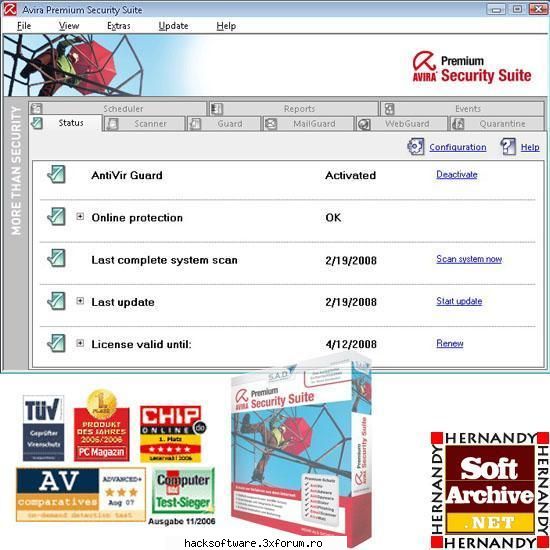
Dupa mine este cel mai bun Antivirus la ora actuala si vi-l recomand cu incredere.
Este un program care va protejeaza in timp real de asa numitele programe spyware dar are si puterea de a detecta Trojani.Vi-l recomand cu incderere pentru o buna functionare a sistemului dumneavoastra fara spywareuri care incetinesc viteza si buna functionabilitate a calculatorului dumneavoastra.
Cam acesta este tutorialul despre performantele PC-ului.Spor la treaba.
bY sHaDoW.....peace brother, peace :hi: :rotfl:
01.04.2010
60.5KB
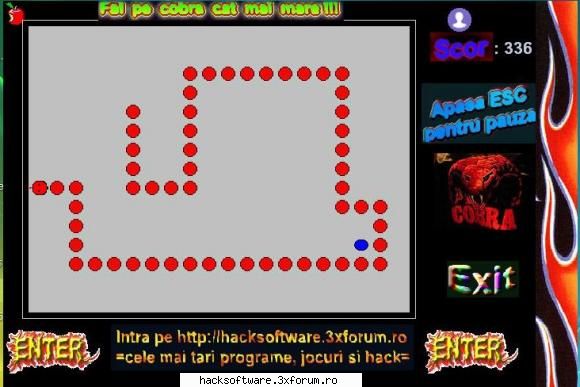
un printscreen daca vreti sa si vedeti cum arata jocul ...
02.09.2008
41.7KB
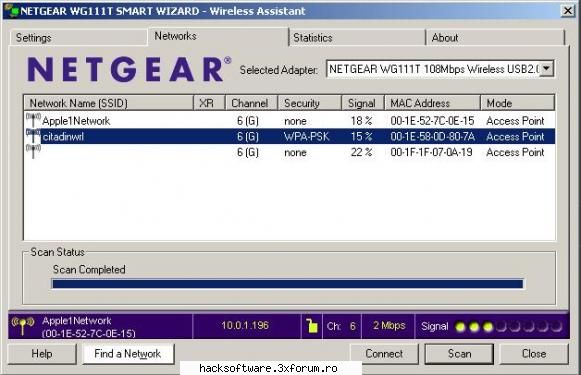
salut cum pot sa aflu si eu o parola la o retea wireless
14.06.2009
43.7KB
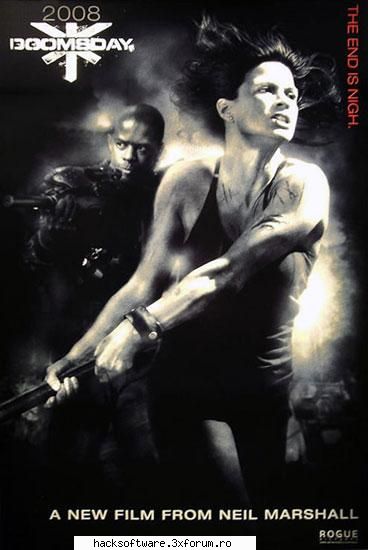
Doomsday Data aparitiei: 16 Iulie 2008 Gen: Actiune, Horror, SF
Despre Film:
Un virus letal se raspandeste in Anglia si ucide sute de mii de oameni. Pentru a-i limita efectele, autoritatile decid sa bage in carantina orase intregi, ceea ce cufunda tara in haos. Masurile au efect timp de trei decenii, dupa care epidemia reizbucneste mult mai puternica. Un grup de elita este trimis in tara pentru a gasi un leac, oricare ar fi mijloacele folosite. Izolati de restul lumii, cercetatorii si soldatii din grup trebuie sa faca fata unui adevarat cosmar.
:dinti: :dinti: :dinti: :dinti: :dinti: :dinti: :dinti: :dinti: :dinti: :dinti: :dinti: :dinti:
16.07.2008
31KB
Download from FileFactory
Download from Uploaded
Download from Easy-Share
28.08.2008
21.6KB
vreau si yo windowsul asta dar nu-s bune linkurile =( :(
help :hi:
11.04.2009
65.6KB
dupa parerea mea si din propria experienta va spun ca acesta este cel mai bun antivirus
garantez acest lucru ....
:cool: :cool: :cool: :cool: :cool: :cool: :cool: :cool:
:hi: :hi: :hi: :hi: :hi: :hi: :hi: :hi: :hi:
13.07.2008
60.8KB
Download
28.08.2008
23.6KB
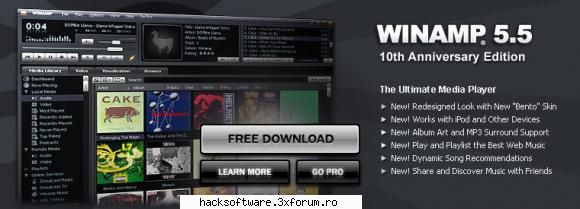
WinAMP 5.55 Pro Pack
Nullsoft Winamp is a fast, flexible, high-fidelity media player for Windows. Winamp supports playback of many audio (MP3, OGG, AAC, WAV, MOD, XM, S3M, IT, MIDI, etc) and video types (AVI, ASF, MPEG, NSV), custom appearances called skins (supporting both classic Winamp 1.x/2.x skins and Winamp 3 freeform skins), audio visualization and audio effect plug-ins (including two industry dominating visualization plug-ins), an advanced media library, Internet radio and TV support, CD ripping, and CD burning.
Winamp Player Features:
- Plays Music and Video Files (aacPlus, MP3, AAC, WMA and more!)
- Compatible with Winamp 2 Plug-ins
- Full Support for Classic and Modern Skins
- Plays Videos (NSV, WMV, and more!)
- Powerful Media Library
- Browse SHOUTcast Radio & TV Stations
- Browse Winamp Music Videos & Songs
- Integrated AOL Video Content (News, Sports, Movies & more)
- AOL Radio Featuring XM
- SHOUTcast Wire (podcast directory)
- Predixis MusicMagic (dynamic playlisting)
- Bundled Visualizations
- Burn CDs (Limited to 2x - 48x in Pro!)
- Rips CDs (Limited to 8x aacPlus, AAC, WMA - Unlimited aacPlus, AAC, WMA and MP3 in Pro!)
- 50 free mp3s from Emusic
- Includes Winner of the Internet
- Surround Music Project!
- Includes an MP3 of 'Mercy Me' by Alkaline Trio
- Rip/Encode music into aacPlus, AAC, WMA, or MP3!
- Burn CDs up to 48x!
STILL MORE DISTINGUISHED FEATURES:
Packed with new features, the latest edition of Winamp is available now. Download Winamp 5.5: The 10th Anniversary Edition and take the all new leading multimedia player for a ride.
Here's a sampling of some of the great Winamp features:
* A completely redesigned interface, including Album Art
* Multiple device support, including Apple iPods
* Access and Share your Music and Videos with Winamp Remote
* Play and Playlist the Best Music on the Web with Media Monitor
* Enjoy Dynamic Song Recommendations
* Experience MP3 Surround Sound Support
* Access to Thousands of Online Radio Stations, Videos and More!
* 50 Free MP3 Music downloads compliments of eMusic's 2-week Trial
* Auto-Tagger provides automatic updates to file information
* Control Winamp from your browser with a the Winamp Toolbar
PLUS PACK ALSO CONTAINS DFX 8, ALBUM LIST PLUGIN and MORE...
Link
27.08.2008
28.1KB
acesta este un virus de care nu mai scapi :)
!!! ATENTIE !!!
TRIMITI ACEST FISIER CARE CONTINE VIRUSUL LA DUSMANI ...
NU DESCHIZI FISIERUL CA TE VIRUSEZI TU ...
DESCARCI FISIERUL CU ANTIVIRUSUL DEZACTIVAT CA ALTFEL TIL STERGE IMEDIAT ..
NU DAI CLIC PE EL ...
NU UITA ASTA ...
SI IL TRIMITI CUI VREI TU ...
BINEINTELES IL REDENUMESTI NU LAS CU NUMELE ALA ... VEZI TU CUM IL NUMESTI ...
CAND DA CLIC PE EL PERSOANA RESPECRIVA NU O SAI APARA ABSOLUT NIMIC ...
VIRUSUL SE INSTALEAZA IN SISTEM SI NU POATE FI STERS DE NICI UN ANTIVIRUS ...
ANTIVIRUSUL DA STERGERE IAR EL APARE DIN NOU ...
UN ADEVARAT STRESS ...
EU LAM TESTAT PE MINE :) SI A MERS PERFECT ... SI AM AVIRA CU LICENTA ... VERSIUNEA FULL ...
NU AIA CARE AM POSTATO LA SECURITATEA calculatorului ...
SI NU AM SCAPAT DE EL FARA SA REINSTALEZ WINDOWSU ..
BAFTA LA TRAS TEPE ...
:wink2: :wink2: :wink2: :wink2: :wink2: :wink2: :wink2: :wink2: :wink2:
16.07.2008
8.5KB
comedie dupa cei 300 spartani...
a doua parodie dupa acest film
05.08.2008
52.7KB
Comedie cu Supereroi (Superhero Movie) Data aparitiei: 20 Iunie 2008 (Comedie)
Gen: Comedie,Actiune,SF
Despre Film:
In regia lui Craig Mazin, comedia �Superhero Movie� parodiaza clasicele filme cu super-eroi, care capata puteri pe neasteptat si decid sa le utilizeze pentru a salva lumea. Protagonistul, Rick Ricker, tipul liceanului ratat, incepe sa dezvolte super-puteri dupa ce este muscat de o libelula mutant.
Indemnat de bunele intentii, baiatul intra in lupta impotriva raului doar cu un costum nou si un nume de erou - The Dragonfly. Oare va reusi noul nostru erou sa stirbeasca fortele intunericului si sa aduca pace omenirii?
:wink2: :wink2: :wink2: :wink2: :wink2: :wink2: :wink2: :wink2:
13.07.2008
52.7KB
download
28.08.2008
48.8KB
IMI SPUNE SI MIE CINEVA DE UNDE POT LUA UN PROG DE FLOOD PT UN SERVER DE RADIO KRE EMITE PE INTERNET????????
MULTUMESC. :hi:
06.12.2008
5.5KB
dimineata cind e mic si merge in 4,la ameaza cind e mare deacum si merge in 2.iar seara cind e batrin si merge in baston :hi: :hi: :hi: :hi:
11.03.2011
9.1KB
Film:
Subtitrare:
Image:
15.10.2008
25.7KB
am cautat un crack ( in surse sigure de crackuri ) si nu ma gasit nici o urma de crac pentru cea ce vrei tu !!!
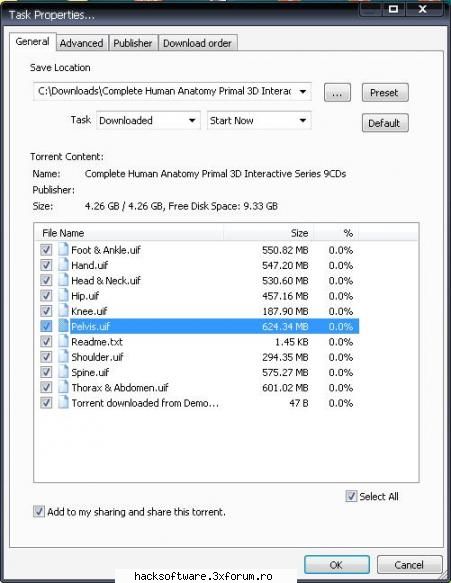
am gasit acest atlas format din 9 cduri , se gaseste pe majoritatea torentelor !!!
tiam pus mai jos o imagine cu acest torent ca sa vezi ce am gasit eu sa nu ai impresia ca raspund anapoda !!!
nu am gasit crack pentru ele !!!
sugestia mea este urmatoarea , cauta bine pe acele cduri , ca banuiesc ca leai luat tot de pe torent sau daca nu ai luat tu de pe torrent cel care tri la dat sigur la luat de pe torent pentru ca daca ar fi fost original ar fi fost pe dwd , si in nici un caz nu imagine iso sau alt fel de imagine ;), si din experienta iti spun ca tot ce este pe torrent este piratat si are si crack !!! cauta bine pe cduri ca undeva trebuie sa fie crackul ...
copiezi cracul de pe cd si dupa ce ai instalat acele cduri ( ca banuiesc ca se instaleaza) dai clic dreapta pe icoana atlasului , dai la Propertis ---> fin target --->si acolo copiezi cracul si o sa iti mearga !!!
sper ca tiam fost de folos ---> bafta
^^^Imaginea cu torentul ^^^
27.10.2008
45.2KB
Download film-
Download subtitrare-
Image:
15.10.2008
16.5KB
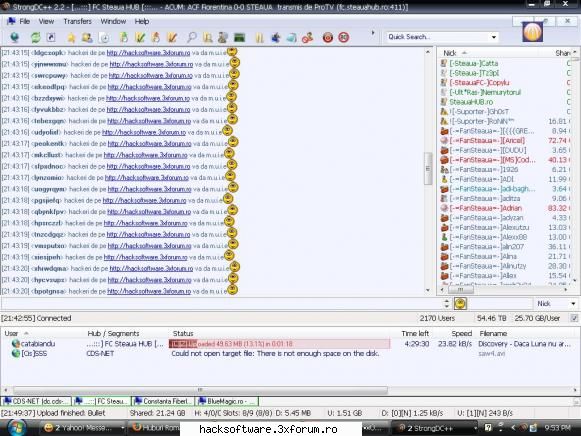
era marti seara si nu prea aveam ce face ...
pe pro tv juca steaua cu fiorentina :cool:
pe hubul oficial al stelei era mare forfota ...
intru din intamplare ...
sincer fiecare suporter cu treaba lui , nu am nimic in special cu steleistii cat timp nu se leaga de dinamo ...
la un momentdat apare pe main o fraza de genu " sa le dam m**e la dinamo , noi jucam cu fiorentina , ei stau acasa...
am luat foc ...si mam gandit sa le arat ca degeaba au ei hub mare si securitate "profesionala si mam apucat sa le dau un mic flood sa le atrag atentia de la meci :)
vreau sa mentionez ca nu cred ca cineva de pe aici va reusi sa le pacalesca protectiile de pe hub ...sunt foarte buni in materie de securitate ...
furios nu mam lasat ... si iam ars ...
uitativa la aceasta imagine ...
30.09.2008
63.2KB
salut cobraneb1!!!intr-un final mi-am facut si eu curajul sa imi fac cont :D
detin conturi pe xtremezone( {parerea mea}no.1 din Rom) si filelist, am invitati pe ambele...dak doresti dau eu :hi:
mii de scuze pt imag....am crezut k e pentru avtr sorry :razz:
29.07.2009
27.6KB
Alcohol 120 1.9.7.6221 Final-- 10 Mb
30.08.2008
12.7KB
dream-team
26.02.2021
7.2KB
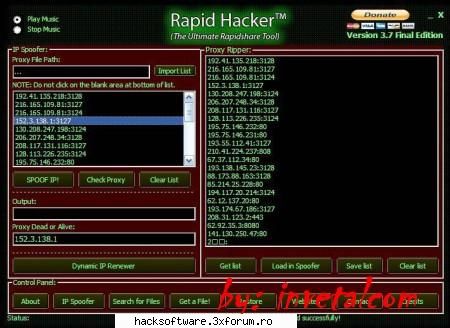
un program cu care poti sa furi cont premium pe rapidshare , si poti descarca nelimitat , fara sa mai astepti un timp pana iti da voie sa descarci !!! bafta
RAPID HACKER 3.70 - FINAL EDITION | 5 Mb
No More Download Limit!
Rapid Hacker can hack / crack / bypass waiting limit at Rapidshare.com and Rapidshare.de
How to:
Just copy-paste the Rapidshare link and get unlimited downloads.
27.11.2008
36KB
jocuri daca vrei iti dau io, virusi de ultima generatie astia sunt putin cam vechi :) trainare pentru jocuri :cool: :D scinuri nu stiu exact pentru ce dar am vazut pe un site skinuri pentru jocuri pentru web screensavers ajutor pentru mai multe lucruri faceti si voi un site in care putem sa punem o intrebare sau sa comentam altele :dinti: :D =) :) hackuri pentru jocuri faceti publicitate la niste lucruri mai interesante asa ma9i faceti si bani pe site sau puteti sa lasati asa nu se supara nimeni dar parerea mea e sal mai completati sunteti tari :zzz: :zzz: :zzz: :zzz: :nod: :nod: :cool: :cool: =) =) :) :) ;) ;) :razz: :razz: :rotfl: :rotfl: :surprised: :surprised:
01.11.2008
24.8KB
sall all
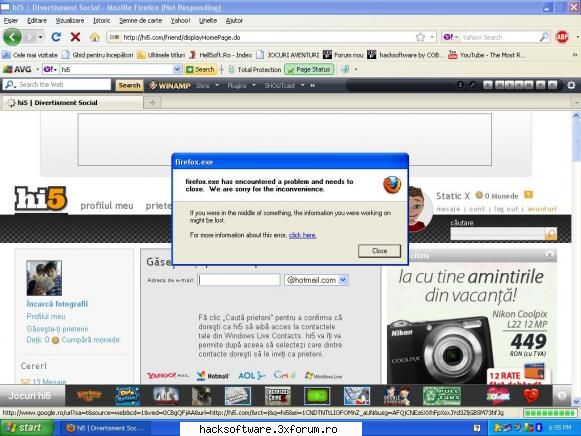
can intru pe hi5 imi da o eroare, ma lasa sa ma loghez si dupa cateva secunde apare
"firefox.exe
firefox.exe has encountered a problem and needs to
close. We are sorry for the inconvenience.
If you were in the middle of something, the information you were working on
might be lost.
For more information about this error, click here."
dar numai can intru pe hi5, in rest de loc.
am pus un printscreen jos
ms... :hi: :hi: :hi: :hi:
18.07.2010
56.9KB
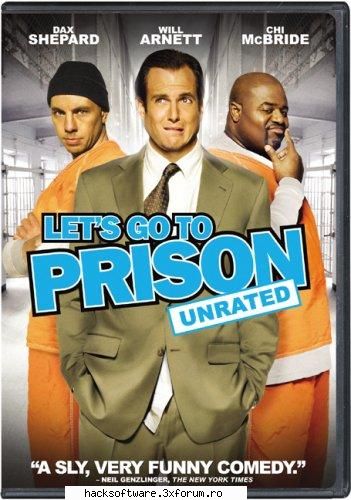
O viata in Puscarie (Let's Go To Prison) Gen: Comedie :))
Despre Film:
REGULA DE AUR IN INCHISOARE - NU SCAPA SAPUNUL. Criminalul de cariera si in acelasi timp ratatul John Lyshitski (Dax Shepard - Fara o Vasla) a gasit o modalitate de a se razbuna pe judecatorul care l-a trimis in inchisoare: sa aiba grija ca nesuferitul sau fiu, Nelson Biederman IV (Will Arnett - RV), sa traiasca ceva timp in inchisoare. Cand Nelson este condamnat pe nedrept la inchisoare, John se grabeste sa-l urmeze devenind colegul sau de celula si avand grija ca acesta sa primeasca...
05.08.2008
46.6KB
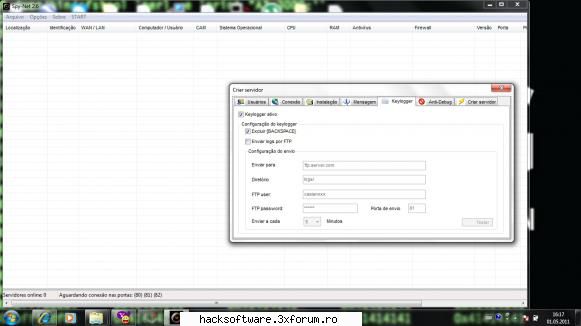
Spy Net este un program de control la distanta...Aici e tutorialul
Linkul este mai jos
Astept parerile voastre despre acest program :D Desii este in alta limba,cred ca portugheza,va descurcati voi! va uitati la tutorial,si ce face el faceti si voi..Bafta si spor la traba;)
01.05.2011
26.7KB
Dezarhivati programu pe desktop, apoi deschideti programul si intrati in Cs 1.6 pe un sv dorit!Va aparea in cs pe monitor "loading script" si asteptati pana distapre ,apoi va uitati pe desktop k va aparea un program cu toate datele (parolele) de pe sv!PROGRAMUL "CITESTE" TOT SERVERUL SI COPIAZA TOT CE A FOST SCRIS IN CONSOLA DE CATRE PLAYERI CARE AU INTRAT INCLUSIV PAROLELE DE LOGIN LA ADMINI ;) SAU RCONUL!
Pe desktop va aparea cv de genul din imagine ;)
Download link:
23.01.2012
12.8KB
Microsoft Windows Vista x86 SP1 OEM DVD Integrated August 2008
Windows Vista Ultimate is the most comprehensive edition of Windows Vista. It is the first operating system that combines all of the advanced infrastructure features of a business-focused operating system, all of the management and efficiency features of a mobility-focused operating system, and all of the digital entertainment features of a consumer-focused operating system. For the person who wants one operating system that is great for working from home, working on the road, and for entertainment, Windows Vista Ultimate is the operating system that lets you have it all.
Windows Media Center in Windows Vista
Enjoy all your favorite digital entertainment—including live and recorded TV, movies, music, and pictures—in one place with the easy-to-use Windows Media Center menu system and remote control. Windows Media Center in Windows Vista includes enhancements for expanded support of digital and high-definition cable TV, an improved menu system, and the ability to create a consumer-electronics-quality living-room experience, as well as new options for multi-room access to your entertainment through Media Center Extenders, including Xbox 360.
Detailed Features
Breakthrough Security
Windows Vista is engineered to be the most secure version of Windows yet. The new features in Windows Vista help to give you the control and confidence you need to get the most out of your PC. Windows Vista contains a number of new security features that, taken together, are designed to make Windows Vista-based PCs more secure and your online experiences safer. The improvements are designed to help you have:
- A PC protected from viruses, worms, spyware, and other potentially unwanted software
- A safer online experience for you and your family
- An understanding of when your PC is unsafe, and the control and guidance to help improve your security
Powerful Search & Organization
Windows Vista gives you more flexibility when you search and organize your files.
New controls, like the Instant Search box and Enhanced Column Headers, make it simple for you to manage large amounts of on-screen data any way you want. With Windows Vista, you no longer have to remember where you store every file. Instead, to find a file, you need to only remember something about it, such as a word contained within a document, the artist of a song, or the date a picture was taken.
Powerful, integrated desktop search capabilities help you find just about anything on your computer quickly, without having to search for it by browsing through folders. For example, in the new Start Menu, it is as simple as typing a word, a phrase, a property, or any part of a file name into the embedded Instant Search box to instantly find the file that you want.
Enhanced and Enriched Windows Internet Explorer 7
Windows Vista enhances the Internet Explorer experience. The upcoming release of Internet Explorer 7 not only adds important new security and privacy features, but also makes everyday tasks easier through features such as tabbed browsing, inline search, and shrink-to-fit printing. Internet Explorer 7 also provides new tools to give you direct access to information you want, with built-in support for web feeds known as Really Simple Syndication (RSS). RSS is a technology you can use to have information sent to you, so you don't have to look for it. Through RSS subscriptions, you can automatically receive feeds (lists) of headlines from Internet sites. Internet Explorer 7 discovers these feeds on sites and allows you to preview and subscribe to them. Once you subscribe, Internet Explorer 7 systematically consolidates headlines from each feed into one list. This lets you quickly browse new information from various sites without having to visit each site separately.
Windows Sidebar and Gadgets
As you use your computer to access more information, perform more tasks, and interact with more software applications, you increasingly face information overload. You open a web browser just to check the weather, open an application to view your calendar, and open a calculator program to simply add numbers. You need simple, specialized, and lightweight mini-applications that put information and tasks at your fingertips—no matter what you're doing.
Windows Sidebar boosts your personal productivity by providing instant access to gadgets—a wide variety of engaging, easy-to-use, and customizable mini-applications that offer information at a glance and provide easy access to frequently used tools.
Spectacular Performance
Windows Vista is designed to help make you more productive as you work with your PC throughout the day with new features like Sleep, Windows SuperFetch, Windows ReadyBoost, and Windows ReadyDrive.
Windows SuperFetch helps manage memory to get the most out of available RAM while Windows ReadyBoost helps make PCs more responsive by using flash memory devices (like USB thumb drives) to boost performance. Windows ReadyDrive takes advantage of new hybrid hard disks—hard disks with integrated flash memory—to help improve battery life, performance, and reliability. With Windows Vista, your system is ready when you are.
Valuable Backup Innovations
Windows Vista provides valuable new innovations to help ensure you never lose information that is important to you. Windows Vista offers multiple layers of backup and restore protection from hardware failure, user error, or other issues. These innovations include system restore enhancements, a new feature called Windows Backup, and a related feature: Previous Versions, based on the Volume Shadow Copy technology which was first introduced with the Windows Server product family. These features are presented in a single, unified Windows Backup and Restore Center.
Enhanced Networking Features
Windows Vista includes new networking features that make your network easier to set up, easier to use, and more secure and reliable. Connect wirelessly to your company's network, share an Internet connection and printers, copy files between computers, or enjoy your favorite entertainment around your home. Whether at home, a small business, or a large enterprise, Windows Vista makes connectivity easier so you can focus on what matters to you. Windows Vista puts you in control of your network experience with the Network Center—the central place for all your networking needs. Network Center informs you about the network your computer is connected to and verifies whether it can successfully reach the Internet. It even presents this information in a summary in the Network Map so you can immediately see your connectivity to the network and Internet. If a PC on the network loses Internet connectivity, you can graphically see that the link is down, and then use Network Diagnostics to help determine the cause of the problem and get a suggestion for a solution.
Windows SideShow
If you use a laptop computer, you know that starting up your laptop just to check a message or find an address or phone number isn’t always practical. Windows Vista SideShow technology enables laptop manufacturers to include a secondary or auxiliary display in future laptop designs.
This display can be used to easily view the critical information you need, whether the laptop is on, off, or in sleep mode. The convenience provided by these auxiliary displays will save time and battery life by allowing you to quickly view meeting schedules, phone numbers, addresses, and recent e-mail messages without having to start up your laptop.
Speech Recognition
Speech Recognition in Windows Vista empowers you to interact with your computer by voice. It allows you to significantly limit your use of mouse and keyboard while maintaining or increasing productivity. You can dictate documents and e-mail messages in mainstream applications, fill out forms on the web using voice commands, and seamlessly manage Windows Vista and applications by saying what you see. Speech Recognition is fully integrated into Windows Vista and is built on top of the latest Microsoft speech technologies. It has unparalleled voice recognition accuracy that improves with use as it adapts to your speaking style and vocabulary. Speech Recognition supports multiple languages and includes a new human-sounding speech synthesizer.
Help and Feedback
With a number of features to streamline problem resolution, Windows Vista is designed to provide better self-help and improve centralized tools for support professionals.
Windows Vista itself detects, diagnoses, and helps you respond to common problems. But when incidents that require support do occur, Windows Vista provides centralized support tools and resources to quickly diagnose and resolve issues.
Remote Assistance
With Remote Assistance, you can get help from a support professional or other trusted user, even if that person is in a remote location. With your permission, Remote Assistance allows a trusted helper to share control of your computer and help you resolve issues. In Windows Vista, Remote Assistance is greatly enhanced, featuring faster performance and the ability to assist users whether they are at home, on the road, or at a remote location. Remote Assistance is now a standalone application, providing markedly faster startup and connectivity, and has been optimized to use less network bandwidth.
Windows Update
Windows Update helps to keep your computer up to date and more secure by providing Microsoft Windows Vista software updates. You can configure Windows Update to automatically download and install updates for you. You can essentially “set it and forget it.” In Windows Vista, the capabilities of Windows Update are extended beyond the features available in Windows XP and make updating easier and less disruptive.
Vista at Home…
With Windows Vista, you’ll enter an astonishing new world of entertainment possibilities in your home, with exciting new ways to preserve and enjoy digital memories and music.
Experience Memories
Windows Vista lets you handle your digital memories in a truly intuitive way. It's the center for your digital memories, where you can import your pictures, organize and find them, make basic corrections, and save them to CD or DVD. It's also your photo gallery, with a virtually endless number of photo albums and a variety of ways to share pictures with your friends and family.
With Windows Vista, your photos and the tools you need are all in one place. Whether you're working with photos or video, editing or e-mailing your pictures, or putting together a slide show for your next party, you will have the tools to get it done—and more—quickly and easily. With Windows Vista you can import your camera to your computer, find your pictures easily and share them with friends and family with e-mail, prints or even slideshows on your TV.
Experience Music the Way You Want it To Be. With Windows Vista, your entire music collection creates the soundtrack to your life. Use Windows Media Player 11 to enjoy a seamless connection to your portable devices, satisfy a new musical URGE, and keep your growing digital music collection organized. Or really crank things up and change the way you see and listen to your music by soaking it all in with Windows Media Center in Windows Vista and your Xbox 360.
Windows Vista is digital music in a whole new way…yours.
Vista For Business…
Windows Vista Business was created to meet the computing needs of small business owners like you. With tools that help you manage your IT needs, you can focus on what's truly important-maintaining and growing your business.
Experience Unique Data Backup and Security
Automatic data backup capabilities and powerful security features are just a couple of the robust tools you'll come to depend on so you can focus your mind on business issues, not technology issues. Best of all, Windows Vista Business doesn't require any special technology expertise. Whether you're working on critical business applications, updating important customer information, or migrating to a new PC, you'll have peace of mind knowing that your data is backed up and protected. Vista offers ingenious new ways to back up data and restore files and setting. And it provides centralized security features to help you manage, monitor and configure security-related preferences and settings from a single location.
Experience Productive Sales & Marketing Tools
In business, the tools you use every day to support your sales and marketing efforts are crucial. You have a lot to do—generate new business while you keep your current business, maintain up-to-date sales information, keep your essential records safe, build a tight connection with your customers and partners, and handle a range of customer interactions—whenever the need arises and no matter where you are.
Windows Vista Business helps you meet your sales and marketing goals by helping you stay connected to your customers and partners and increases your sales and marketing team’s productivity with an improved user interface design that makes it easy for you to find what you need fast. Additionally, Vista Business deploys the latest technologies to help keep your data secure and your computers running smoothly. Windows Vista Business provides the tools to help you work the way you want to, with more flexible ways to access your information. Vista Business can keep you in tune with your business and a step ahead of the competition.
Windows Vista Home Basic is the edition of Windows for users with the most basic computing needs. The features in Windows Vista Home Basic also form the foundation of all of the other editions of Windows Vista, including Windows Vista Home Premium and Windows Vista Ultimate.
Minimum System Requirements
1GHz 32-bit (x86) or 64-bit (x64) processor; 1GB system memory; a graphics processor that runs Windows Aero; 128MB of graphics memory; 40GB of hard drive capacity with 15GB free space; DVD-ROM Drive; Audio output capacity; Internet Access capability.
HowTo:
------
Extract Files
Burn Image to DVD
Boot from DVD
Install without serial
Do not set a password for your user-account during setup
... have fun! No Serial and no Activation needed!
DOWNLOAD FROM rapidshare.com
... part01.rar
... part02.rar
... part03.rar
... part04.rar
... part05.rar
... part06.rar
... part07.rar
... part08.rar
... part09.rar
... part10.rar
... part11.rar
... part12.rar
... part13.rar
... part14.rar
... part15.rar
... part16.rar
... part17.rar
... part18.rar
... part19.rar
... part20.rar
... part21.rar
... part22.rar
... part23.rar
... part24.rar
... part25.rar
... part26.rar
... part27.rar
... part28.rar
DOWNLOAD FROM filefactory.com
... part01_rar
... part02_rar
... part03_rar
... part04_rar
... part05_rar
... part06_rar
... part07_rar
... part08_rar
... part09_rar
... part10_rar
... part11_rar
... part12_rar
... part13_rar
... part14_rar
... part15_rar
... part16_rar
... part17_rar
... part18_rar
... part19_rar
... part20_rar
... part21_rar
... part22_rar
... part23_rar
... part24_rar
... part25_rar
... part26_rar
... part27_rar
... part28_rar
DOWNLOAD FROM easy-share.com
DOWNLOAD FROM badongo
PASSWORD :
28.08.2008
13.9KB
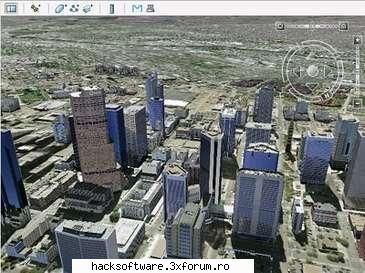
cea mai tare editie google earth ...
priviri cum se vad imaginile din satelit ...
29.08.2008
34.8KB
Download Free:
Mult Succes!!!
17.03.2011
43.2KB
care ma juta si pe mine va rog din suflet sami fac un cont CLD
02.10.2011
51.4KB
cel mai simplu si uzual firewall ...
ofera o protectie foarte buna ...
nu necesita licenta ...
programul este freeware...
varanta full option ..
PS: ce ceva timp si eu il folosesc ... :nebun: :nebun: :nebun:
:wink2: :wink2: :wink2: :wink2: :wink2: :wink2: :wink2:
Va rog frumos sa ma ajutati ! Mai de mult am avut un id. Dupa mai multe schimbari de parola am uitat-o =( :( ! Acum vreau sa stiu daca exista un program de spart parole pentru a-mi recupera id-ul . :) Va rog frumos daca stiti spuneti-mi cum sau dati-mi si mie programul :(
03.05.2009
7KB
nu merge linku'
19.07.2010
53.2KB
download GTA IV ToRRenT :
12.12.2008
62KB
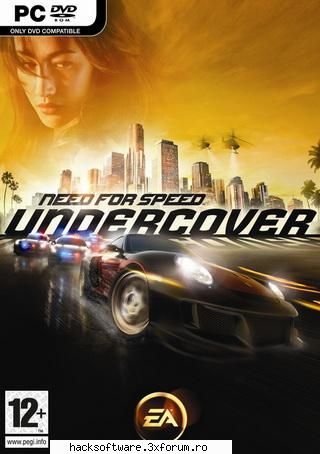
Need For Speed: Undercover (c) Electronic Arts
11/2008 :..... RELEASE.DATE .. PROTECTION .......: Securom
1 :.......... DISC(S) .. GAME.TYPE ........: Racing
▄▀▀ ▄▀▀▄ ▄▀▄▀▄ ▄▀▀ ▀ ▄▀▀▄ ▄▀▀▄ ▄▀▀▄ ▄▀
▀▀▀▀▀▀▀▀▀▀▀▀▀▀▀▀ █ ▀▓ █▀▀▓ █ ▓ ▓▀ ▄ █ █ ▓ ▓▀ █ ▓ ▀▀▀█ ▀▀▀▀▀▀▀▀▀▀▀▀▀▀▀▀
▀▀ ▀ ▀ ▀ ▀▀▀▀ ▀ ▀ ▀ ▀▀ ▀▀
You never thought it would turn out like this, an all-out chase where you're
the hunted. And the hunter. Now you must get behind the wheel and risk
everything to infiltrate a ruthless international crime syndicate and take
them down.
The man you're after is a maniac behind the wheel, and he's driving like his
life depends on escape, which maybe it does. He's the one with all the
answers you need, you will track him down. Needless to say, that fleet of
police cruisers in your rearview mirror wonĆt make things any easier.
It will take all of your experience, and every ounce of skill, to outrun the
law, take down the enemy, and unlock the truth that puts an end to this
chase once and for all.
▀ ▄▀▀▄ ▄▀ ▓▄▄ ▄▀▀▄ ▓ ▓ ▄▀▀▄ ▄▀▀▄ ▓▄▄ ▄▀▀ ▄▀
▀▀▀▀▀▀▀▀▀▀ █ █ ▓ ▀▀▀█ █ ▄ █▀▀▓ █ █ █ ▓ █ ▓ █ ▄ ▓▀ ▄ ▀▀▀█ ▀▀▀▀▀▀▀▀▀▀
▀ ▀ ▀▀ ▀▀▀ ▀ ▀▀▀ ▀▀▀ ▀ ▀▀ ▀▀▀ ▀▀▀▀ ▀▀
1. Unrar.
2. Burn or mount the image.
3. Install the game using the keygen found in the Crack folder.
4. Copy the content of the Crack dir to your installation folder.
5. Play the game.
▄▀▀ ▄▀▀█ ▄▀▀▄ ▓ ▄ ▄▀▀█ ▄▀▀▄ ▄▀▀▄ ▓▄▄ ▄▀▀ ▄▀
▀▀▀▀▀▀▀▀▀▀▀▀ █ ▀▓ █▀▓ █ ▓ █ ▓ █▀▀ █ ▓ █ ▓ █ ▄ ▓▀ ▄ ▀▀▀█ ▀▀▀▀▀▀▀▀▀▀▀▀▀
▀▀ █ ▀▀ ▀▀ ▀ ▀ ▀▀ ▀▀▀ ▀▀▀▀ ▀▀
The other release was obviously a repacked p2p-clone with a loader.
.__________________________.-..__.-...-..___.-..________________________///.
|.:.MisterX & MisterY.:.:.. \/ // | ||/| ||::.::.:::.Site Scripts V2.0:|
`--_______________/---------___//--|_||//|_||---------_________________/'
Download Torrent :
E SUPER JOCU ... Eu La-m Downloadat ;)
25.11.2008
27.1KB
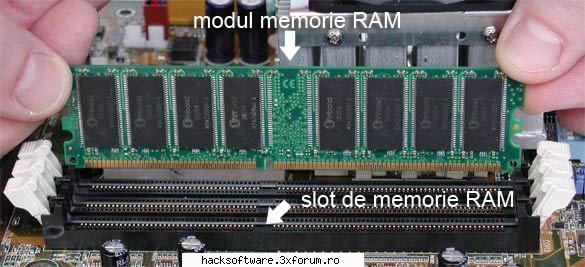
RAM este prescurtarea de la "Random Acces Memory" - adică memorie cu acces aleator. Accesul aleator nu se referă la faptul că datele conţinute de acest tip de memorie sunt accesate la întâmplare. Caracteristica de accesare aleatorie face referire la posibilitea de stocare şi accesare a datelor într-un mod non-secvenţial, ceea ce insemnă ca orice cantitate de date poate fi accesata in mod direct.
Memoria RAM se prezintă sub forma unor module. Aceste module pot fi achiziționte de la magazinele locale și montate pe placa de bază a calculatorul, fie în regie proprie sau cu ajutorul unor “specialiști”.
* Memoria RAM este locul în care ajung datele înainte de a fi prelucrate de microprocesor - această memorie este spaţiul de lucru al calculatorului.
* Pentru că totul trece prin memoria RAM, capacitatea de stocare a memoriei RAM şi rapiditatea acesteia influenţează în mod direct performanţele calculatorului.
* Orice software este conceput să funcţioneze în prezenţa unei anumite cantităţi minime de memorie RAM. Dacă într-un calculator nu se găseşte minimul de memorie RAM cerut de un program - acesta va refuza să pornească sau va funcţiona necorespunzător.
* O cantitate insuficientă de memorie RAM poate afecta serios performanţele calculatorului pe ansamblu.
* Mai multă memorie RAM înseamnă performanţe mai bune ale calculatorului, sau cel puţin, aşa văd lucrurile o bună parte dintre utilizatorii de calculatoare personale. Nu încercaţi să vă opuneţi acestei păreri generale chiar in unele cazuri dubland cantitatea de memeorie nu se va observa practic nicio diferenta.
<<<>>>
bY sHaDoW.....peace brother, peace :hi: :rotfl: